- Flat describes the surface; tactile or non-tactile describes the feel. A flat switch can be either.
- A flush face suits medical, laboratory and food equipment that is cleaned with chemicals every day.
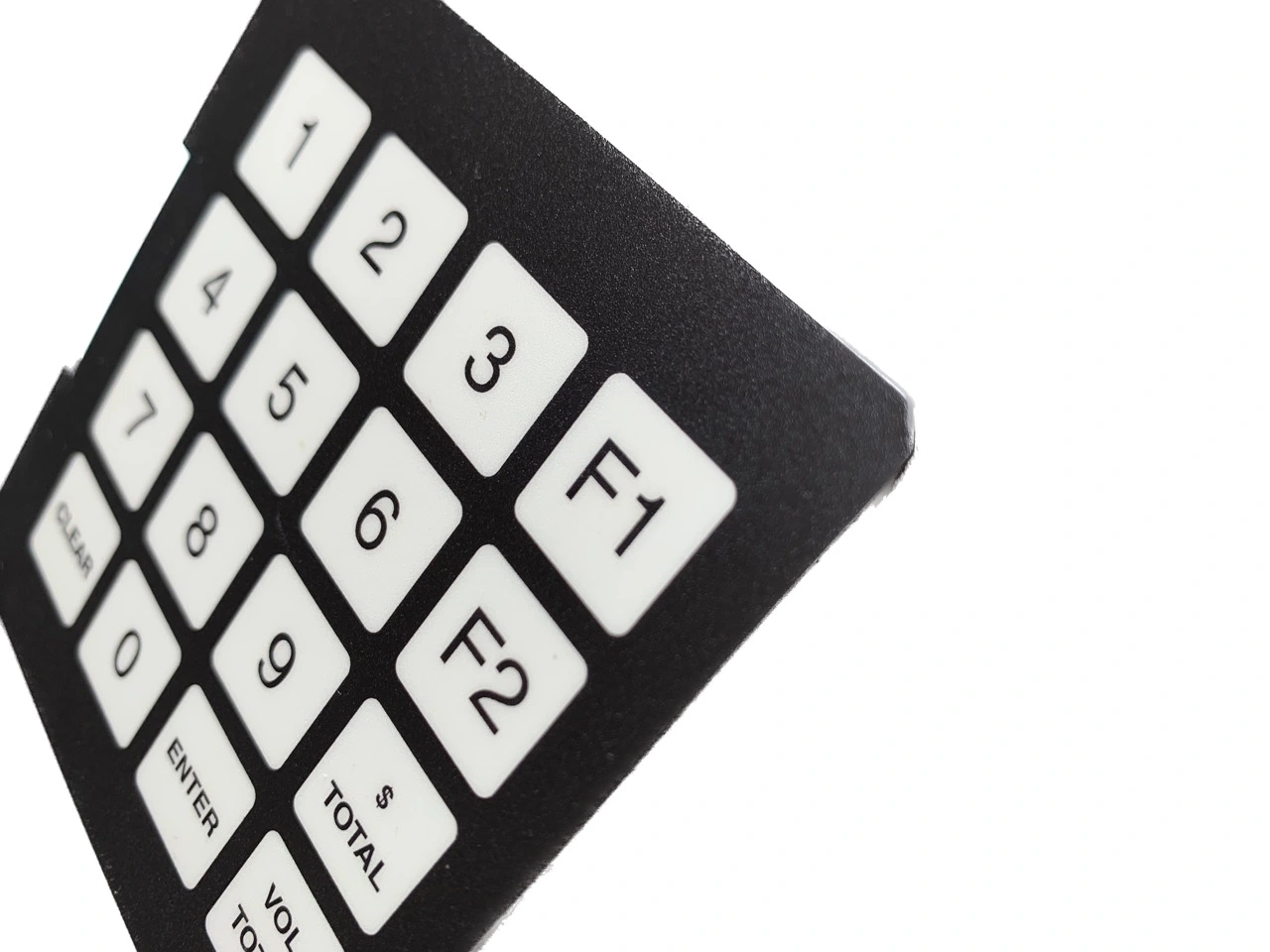
- Printed key outlines, colour and texture show the operator where to press.
Surface
Why choose a flat surface?
Every raised edge on a keypad is a place where fluid can sit and dirt can build up. A flat overlay has none, so a single wipe clears the whole panel. It also takes the least depth in the housing and lets the artwork run edge to edge, including display windows, without the breaks an embossing tool needs.
The trade-off is finding keys by touch. Where operators work without looking, raised keys help, as shown on the page about pillow, rim and plateau keys.
Feel
Should a flat membrane switch click?
Both builds keep the same flush face. The difference is underneath.
| Build | What the finger feels | When to choose it |
|---|---|---|
| Flat, no dome | A short, soft press with no click | Each press is confirmed by a beep, light or screen change |
| Flat with metal domes | A clear click through the flat film | Operators wear gloves or press without looking |
The no-dome build is explained in detail on the non-tactile membrane switch page, and dome choices on the tactile membrane switch page. Domed epoxy keys give a raised, rounded key without a forming tool; see epoxy dome keys.
Projects
How have flat membrane switches been built for customers?
Dual adhesive
A flat keypad that takes the customer's own overlay
An automation equipment subcontractor fits its own branded overlay at the last assembly station. We supplied the flat switch with embedded LEDs and 3M adhesive on both faces: one side bonds to the metal housing, the other takes the overlay with no extra lamination step. The buyer asked for carbon over the traces; plain silver was recommended instead, which removed one print layer.
12 lit keys
A backlit flat panel for a portable instrument
Light guide film sits between the circuit and a PMMA front lens, lighting 12 key zones evenly. The film is bonded to the customer's LED board with 3M 9415 repositionable adhesive, so it can be aligned over the LEDs before final pressing. Adhesive choice was adjusted until peel strength passed the customer's climate cycling test.

Design
How do operators find the keys on a flat switch?
- Printed outlines and colour: a contrasting frame or fill around each key.
- Texture: a gloss key area in a matte face, which the finger can feel slightly.
- Backlighting: lit legends or key rings for dark rooms. See light guide film backlighting.
- Feedback: a beep or LED from your controller on each press.
FAQ
Flat membrane switch questions
Is a flat membrane switch the same as a non-tactile switch?
Often, but not always. Flat means the face is flush. Most flat switches have no dome, but a metal dome can sit under a flat overlay to give a click.
Can a flat membrane switch be sealed?
Yes, and the flush face makes it easier. The edges and tail exit are sealed as on any membrane switch; see the sealed membrane switch page.
Which overlay film suits frequent cleaning?
Hard-coated polyester resists cleaning chemicals and repeated flexing best. Films are compared in the membrane switch overlay material guide.
Can I try a flat sample before production?
Yes. Samples of 1 to 5 pieces are built to your drawing, with or without domes, so you can compare the feel.
Send your flat panel artwork
Attach the artwork or a sketch, say whether the keys should click, and add the quantity. The quote comes back within 48 hours.